

How can I create a Quiz with Youform?
Updated 2 months ago
Youform provides a powerful logic builder that allows you to:
Create quizzes that conditionally display screens indicating whether an answer is correct or incorrect.
Calculate and display scores to users.
To start creating a quiz in Youform:
Click on the "New Form" button on your dashboard.
The template selection model will appear. Search for the "Digital Marketing Quiz" or simply use the keyword "quiz".

Upon selecting the digital marketing quiz template, a sample form will be visible in the builder.

Click on the "Logic" to navigate to the Logic Builder, where you can see the logic set.
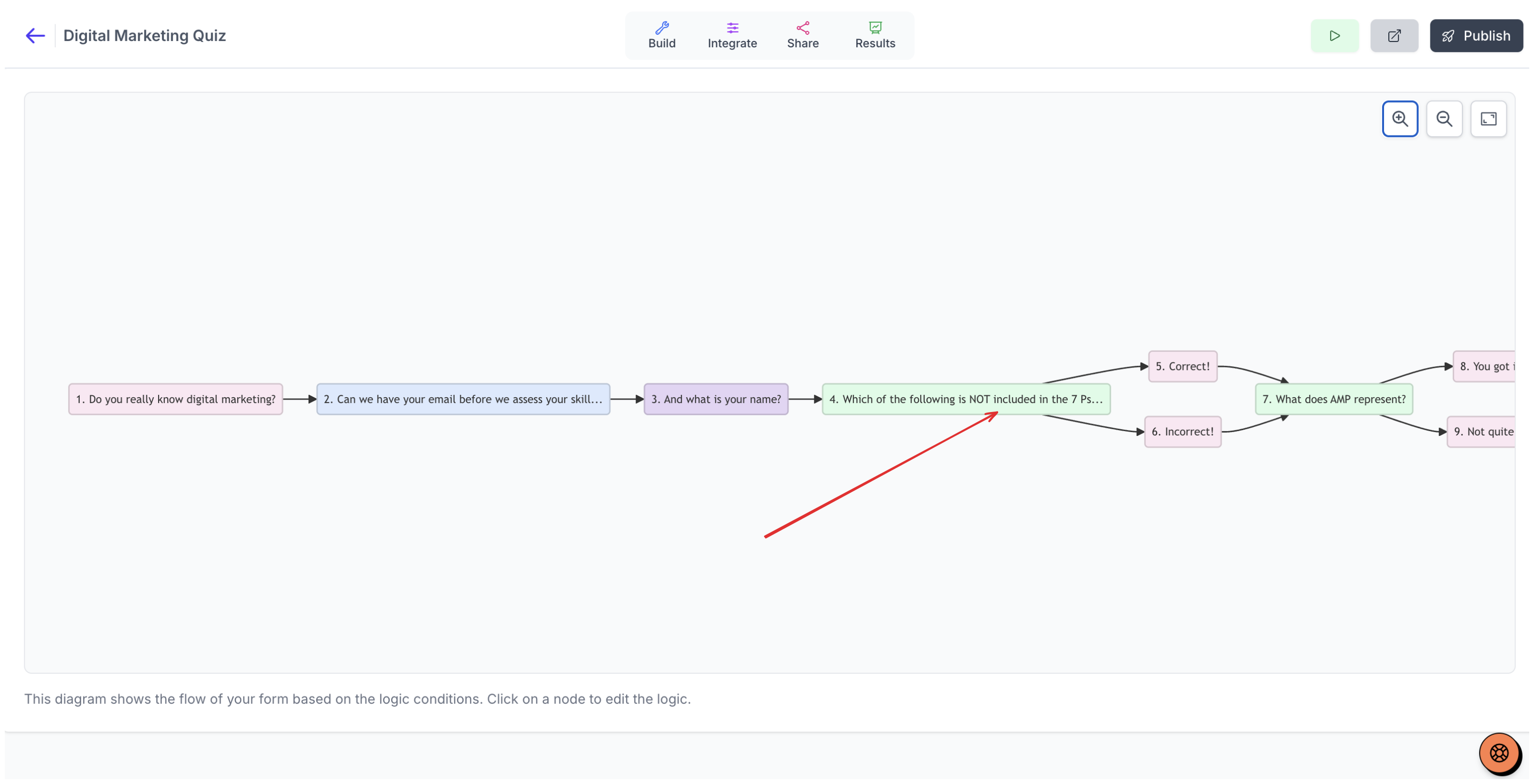
Select the first question where branching occurs to view how the score variable is assigned a value.
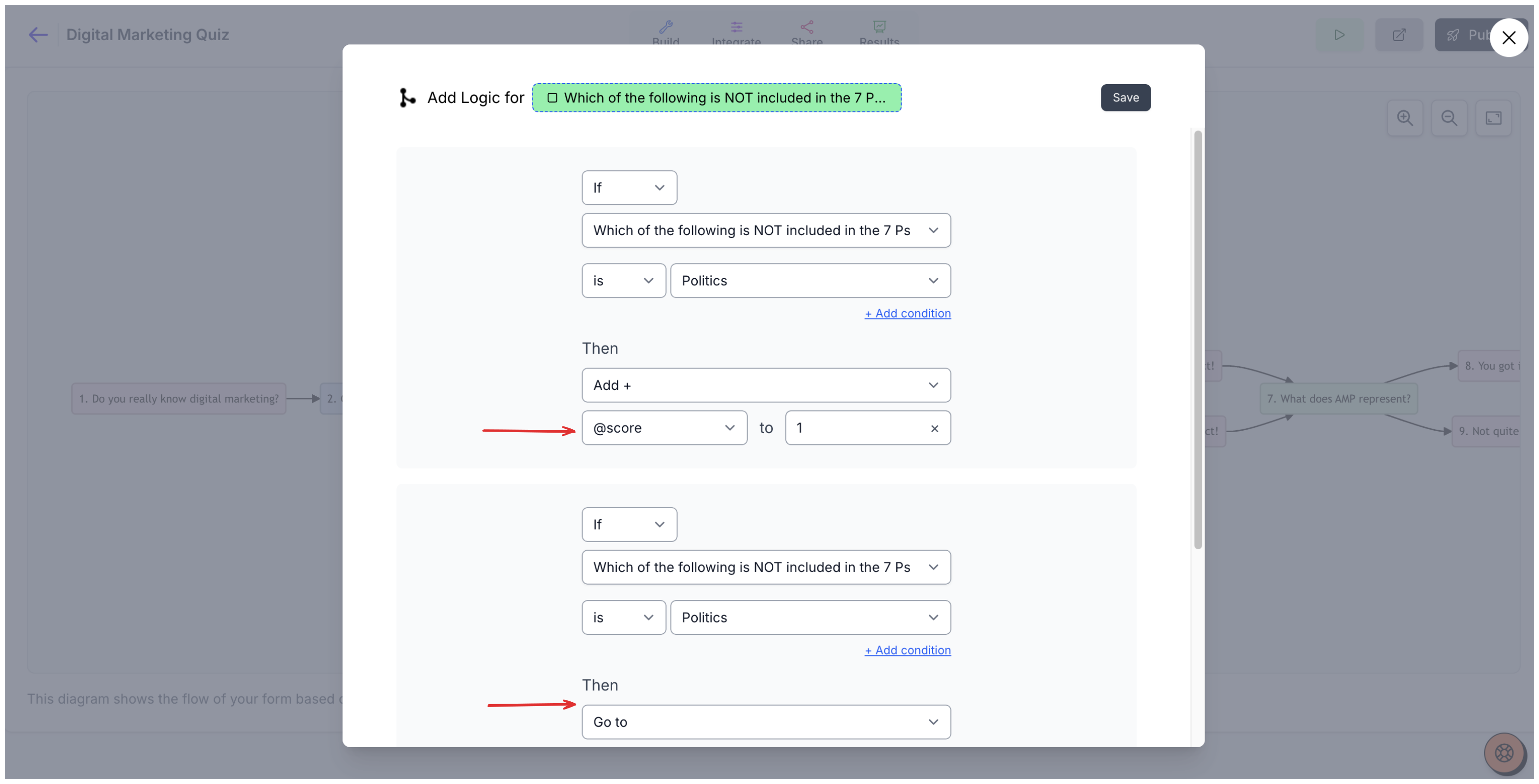
Similarly you can continue to assign values and scores to your questions, which takes users through different paths based on the logic.
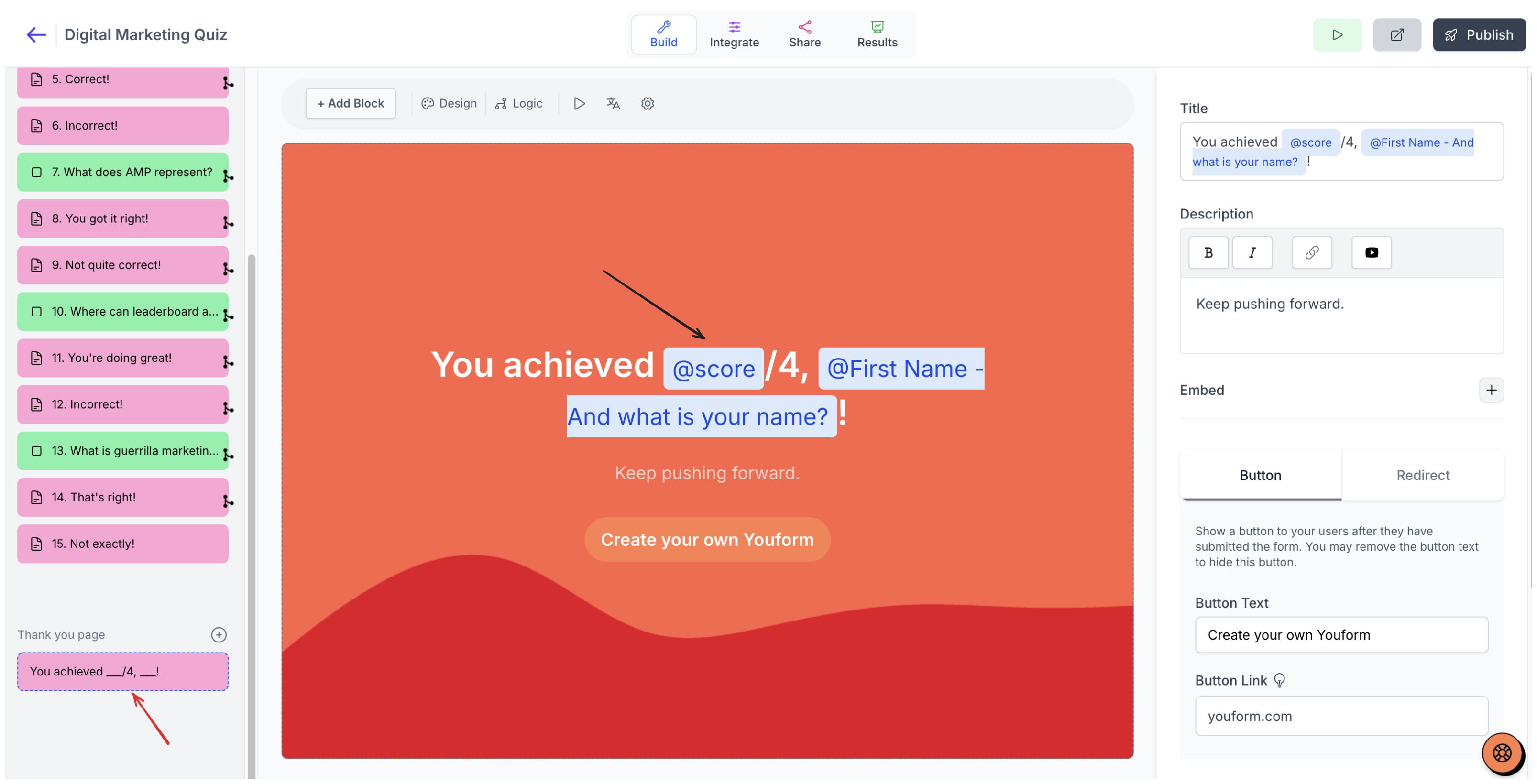
Click on "Build" and proceed to the thank-you page to see the final score assignment.
Here's a sample quiz created using Youform:
Digital Marketing Quizhttps://app.youform.com/forms/nqbrbhyi
Link to quiz: https://app.youform.com/forms/nqbrbhyi
How can I show correct answer and user's answer after the quiz end?
You can "tag" your questions in a statement block or thank you page.
You can go to your Youform dashboard and hit the "New form" button. Then search for the template "Quiz with answers" and use it.
You can also try this form here:
Quiz with answershttps://app.youform.com/forms/pa6iqjtd
https://app.youform.com/forms/pa6iqjtd
Assign points to a correct answer
A "correct answer" is a logic condition that matches one of the question's answer options. When a respondent selects that option, an Add action adds points to the @score variable. Points are not assigned automatically, so each question you want to score needs its own rule.
In the builder, click Logic to open the Logic Builder.
Under Questions, select the question you want to score.
Select is and choose the correct answer option.
In the Then action, select Add.
Set @score as one operand and enter the point value for the other, for example 10.
Click Save.
Repeat this for every question you want to score. @score starts at 0, and each matching rule adds its value to the total as the respondent moves through the form. Use is not to handle the other options, or choose Subtract, Multiply, or Divide for different scoring math. For quizzes that route to a result based on which answer is chosen most often, like personality quizzes, see How to create Outcome Quiz in Youform? instead.
Show the total score on the thank-you page
The thank-you page is the form's final text block. Insert the @score variable into its title or description so the total appears after the respondent submits.
Open the final text block, which is the thank-you page.
Edit its title or description.
Type @ and select score to insert @score.
Save the block.
When a respondent submits, @score is replaced with the current total. A score of 0 displays as 0, and non-integer scores display to two decimal places. For more on editing the final page, see How to customize the "Thank you page"?.
Test the quiz
Publish the form, then run through it in Preview to confirm the points add up and the total appears on the thank-you page.
Click Publish.
Click Preview.
Answer the quiz, using Next for intermediate steps.
On the final step, click Submit.
Check the thank-you page for the total score.