

TidyCal integration
Updated 3 months ago
Youform provides native TidyCal integration for meeting and appointment scheduling.
How to setup TidyCal in Youform?
1. First go to Youform dashboard and open the form where you want to add TidyCal. Obviously you can create a new form as well.
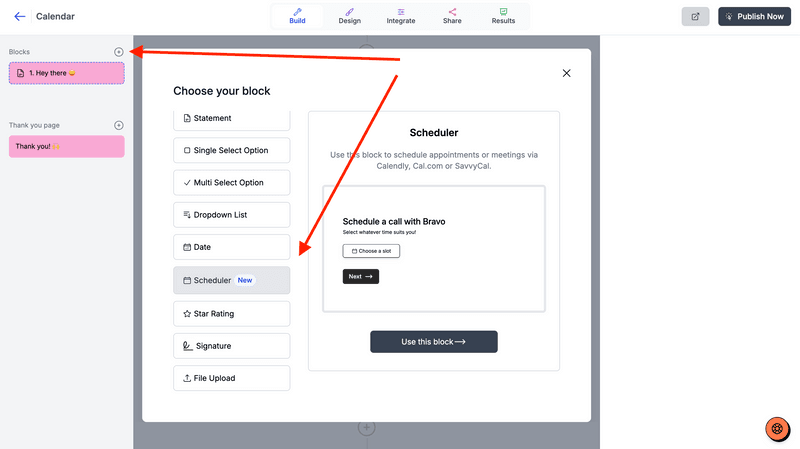
2. Click on the new block button and then select the scheduler block from the block selection modal.
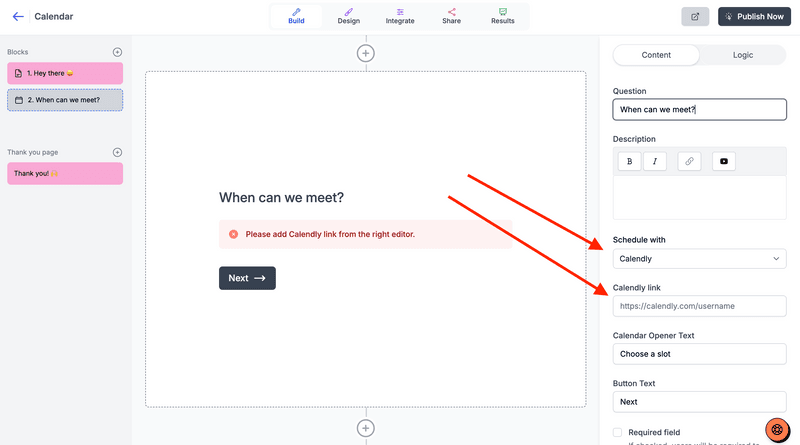
3. Change the "Schedule with" option to TidyCal and then fill TidyCal link (next step for how to find it).
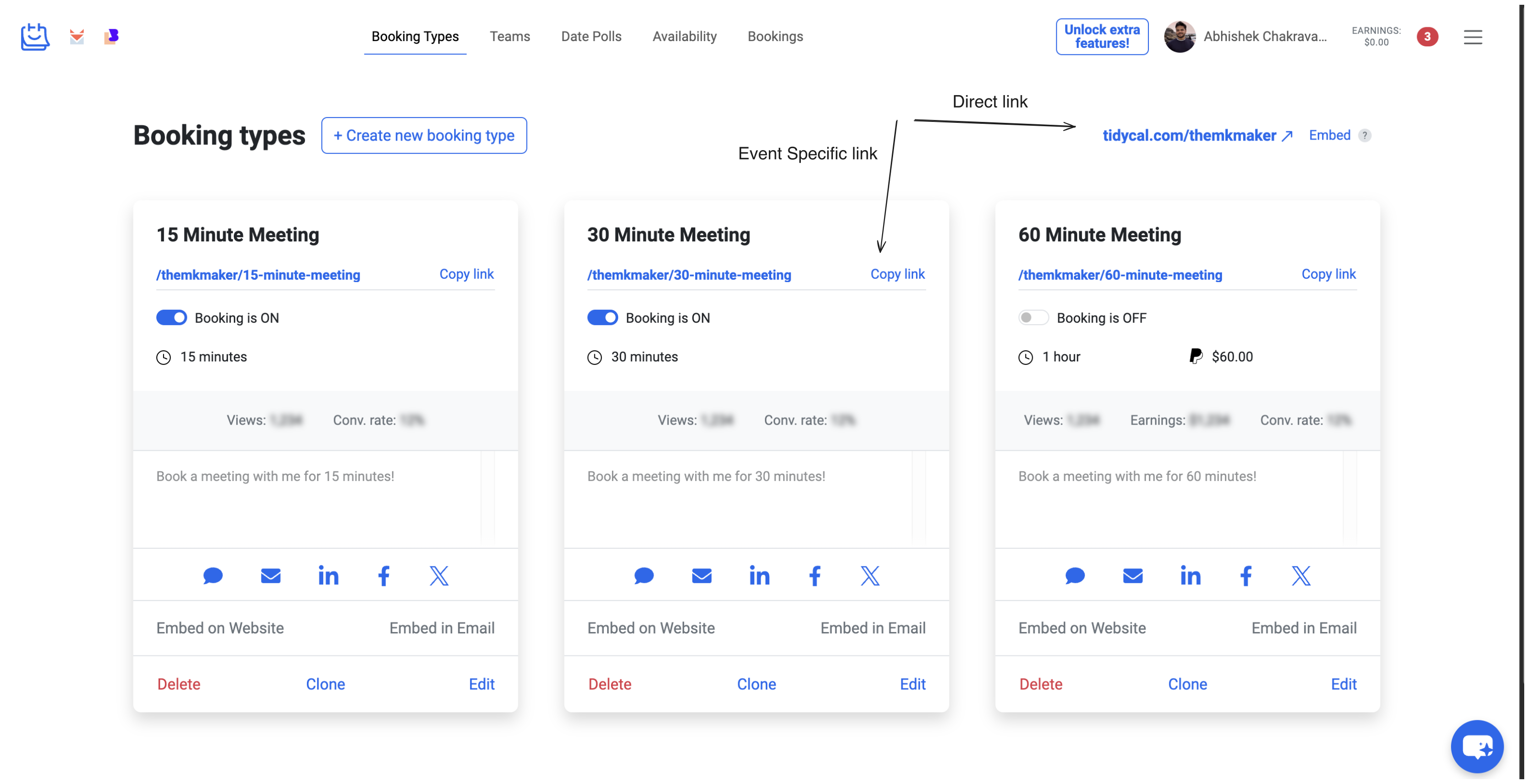
4. Go to your TidyCal dashboard and copy the link as shown below. You can copy the "Direct link" or "Event Specific link" (for eg 15-min call).
Test your form after publishing it.
Was this helpful?
Was this helpful?