

How to add Google Maps in Youform?
Updated 3 months ago
In Youform you can embed a Google Maps.
Here are the steps:
Go to maps.google.com and searched for the address you want the map. For eg I searched for Empire State Building.
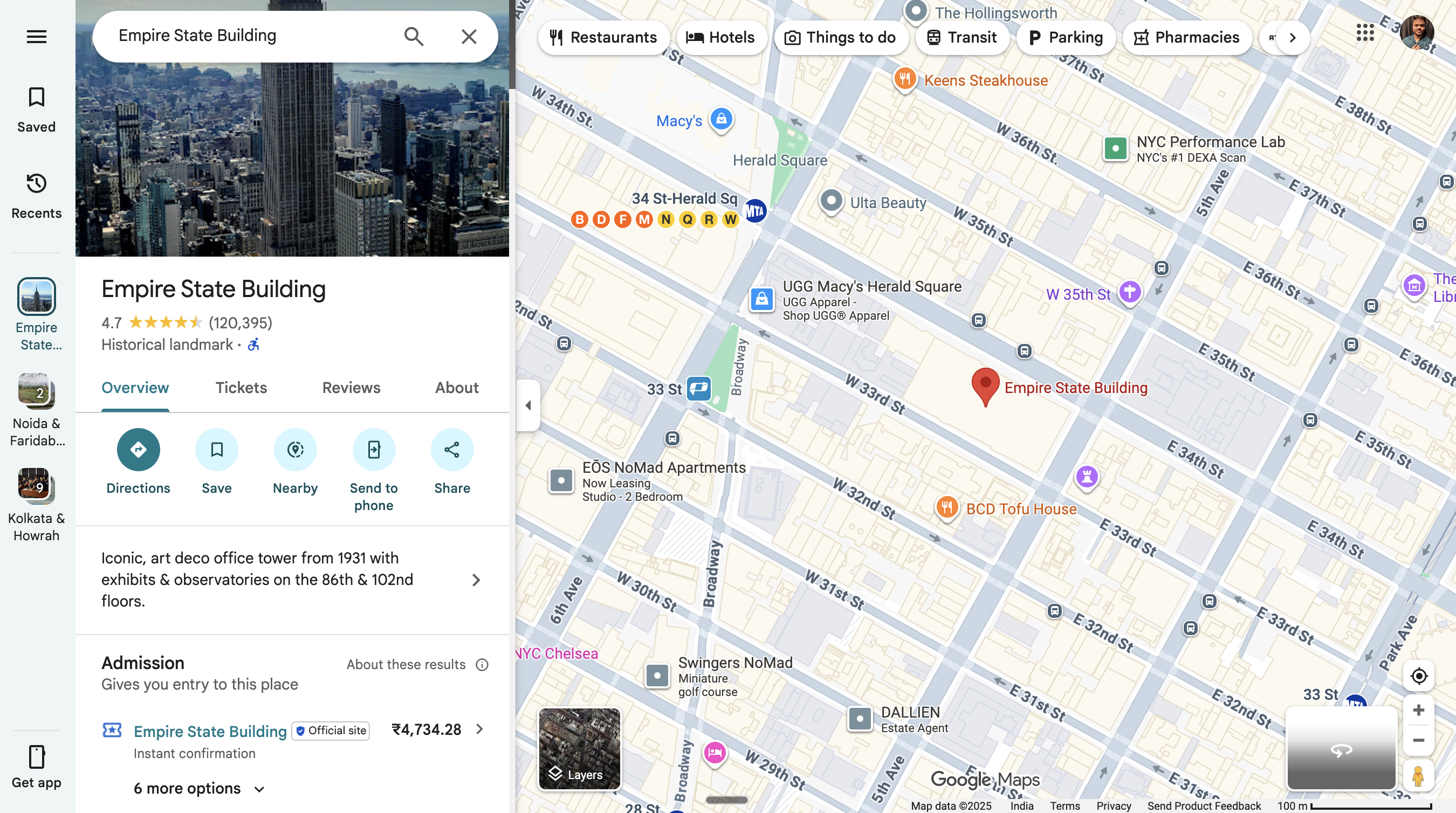
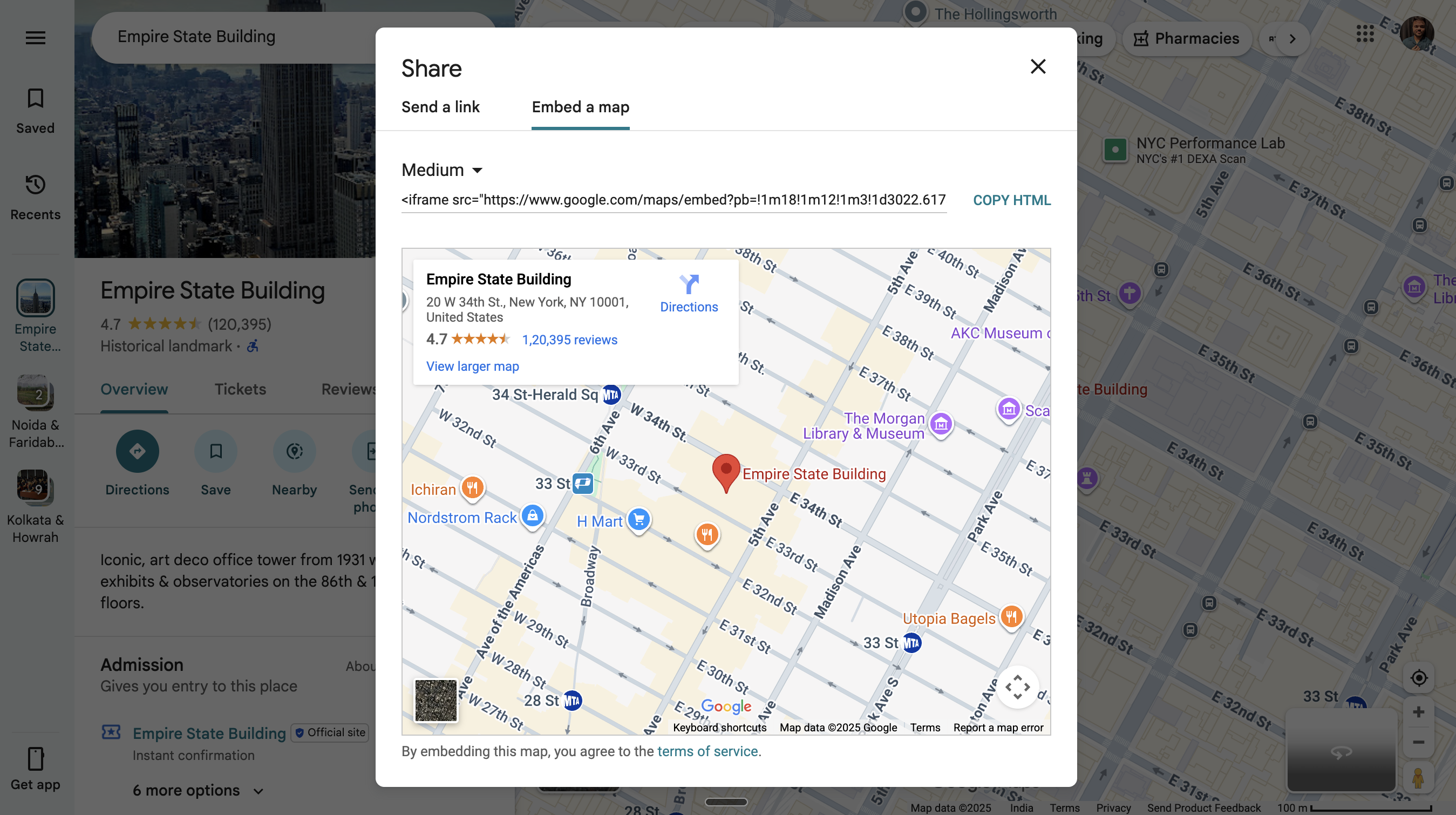
Then look for the "Share" button. A popup will appear. Click on the "Embed a map" tab and copy the HTML.
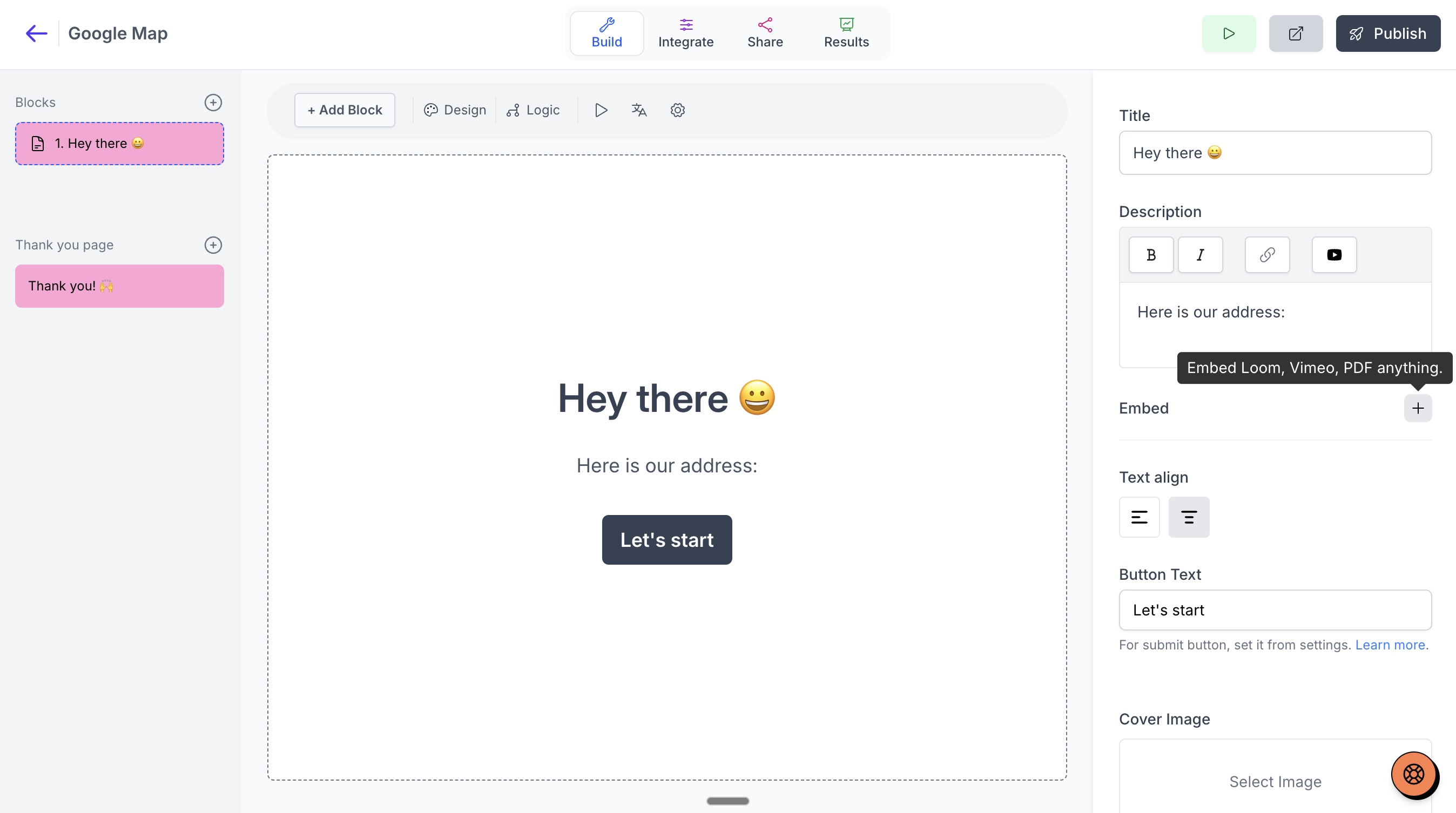
Now go to your form in Youform and add a "Statement" block (You can definitely use the existing statement block if you already have one). On the right editor look for "embed" and then paste the HTML you coped from the Google Maps.
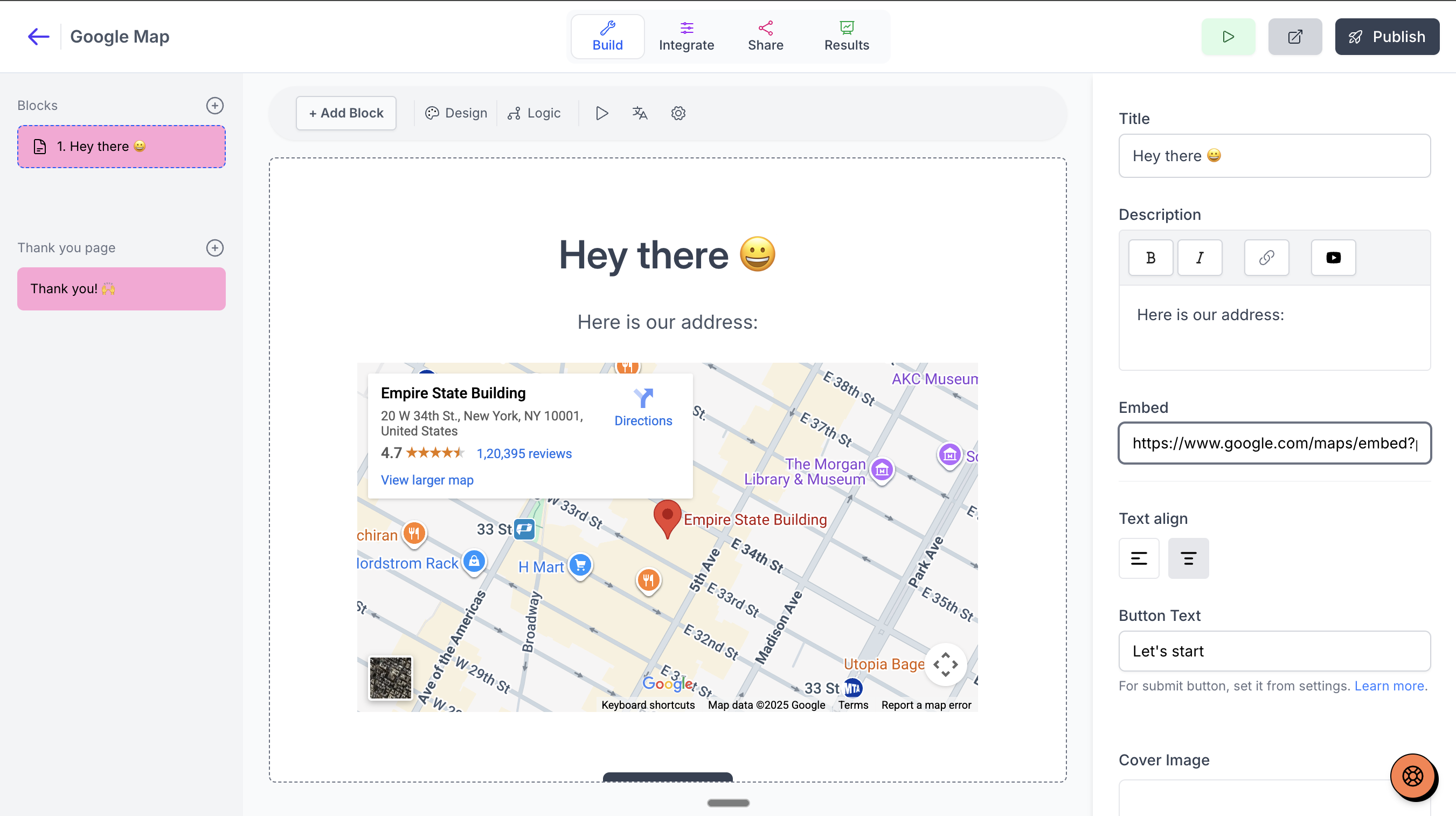
Your interactive map will be embedded in your form.
Try the form here :
Was this helpful?
Was this helpful?