

Workspace Analytics
Updated 3 days ago
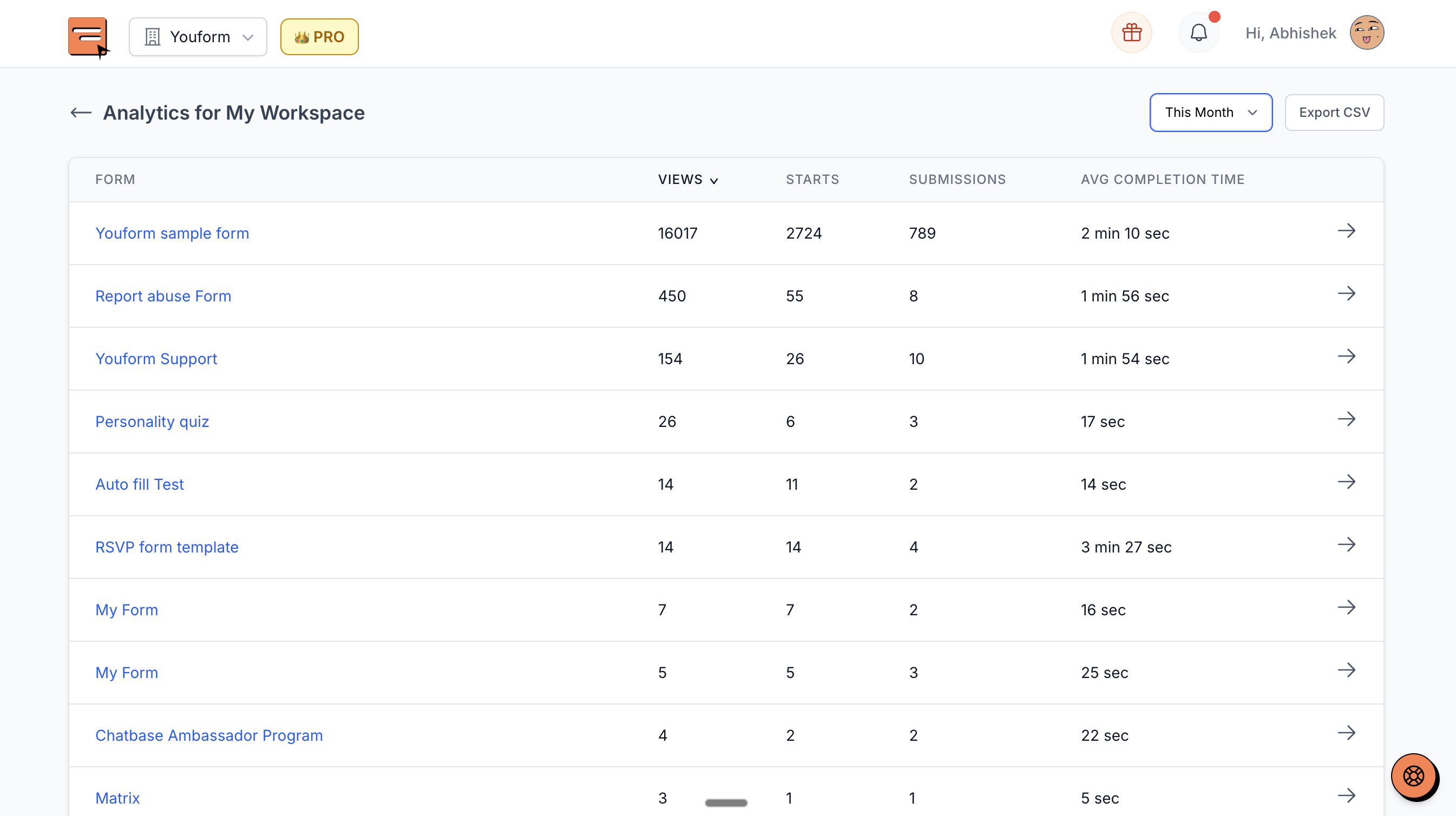
You can view and export analytics for all the forms in a workspace. This will help in viewing and comparing the performances of your forms across the workspace. Features include:
Sort by stats (starts, submissions, etc.)
Filter by "All time" or "Current month"
Export as CSV
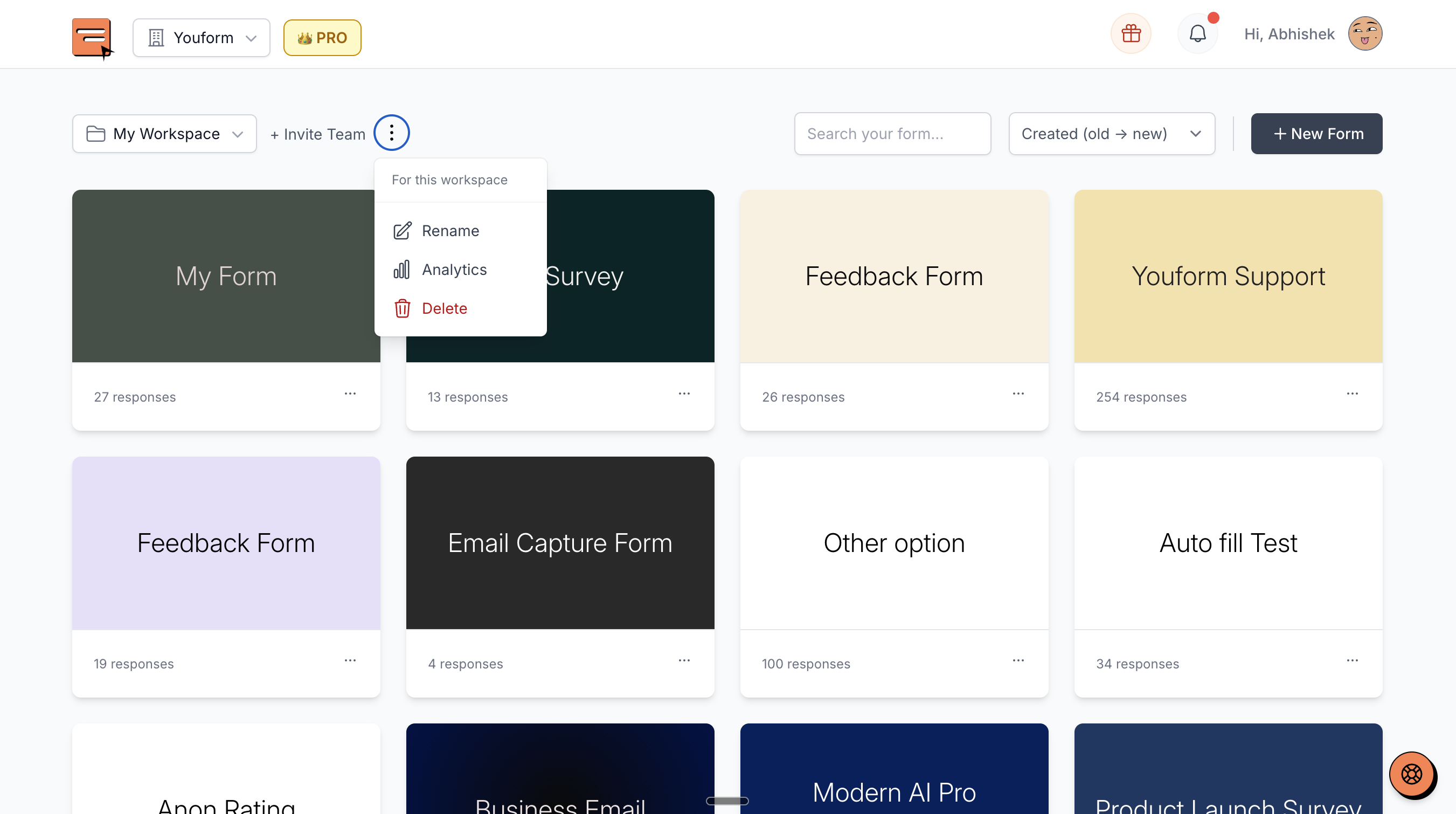
To access this, go to your dashboard and select the Workspace for which you want the analytics. Then click on the 3 dots beside the workspace name to open the menu and click on the "Analytics" option.
Was this helpful?
Was this helpful?