

How can I align my form blocks?
Updated 3 months ago
In Youform, you can align your form blocks using two ways:
Align Statement blocks: all statement blocks are by default center-aligned. If you want to left-align them, then open any of your statement blocks and on the right side, you will have the option to change the alignment.
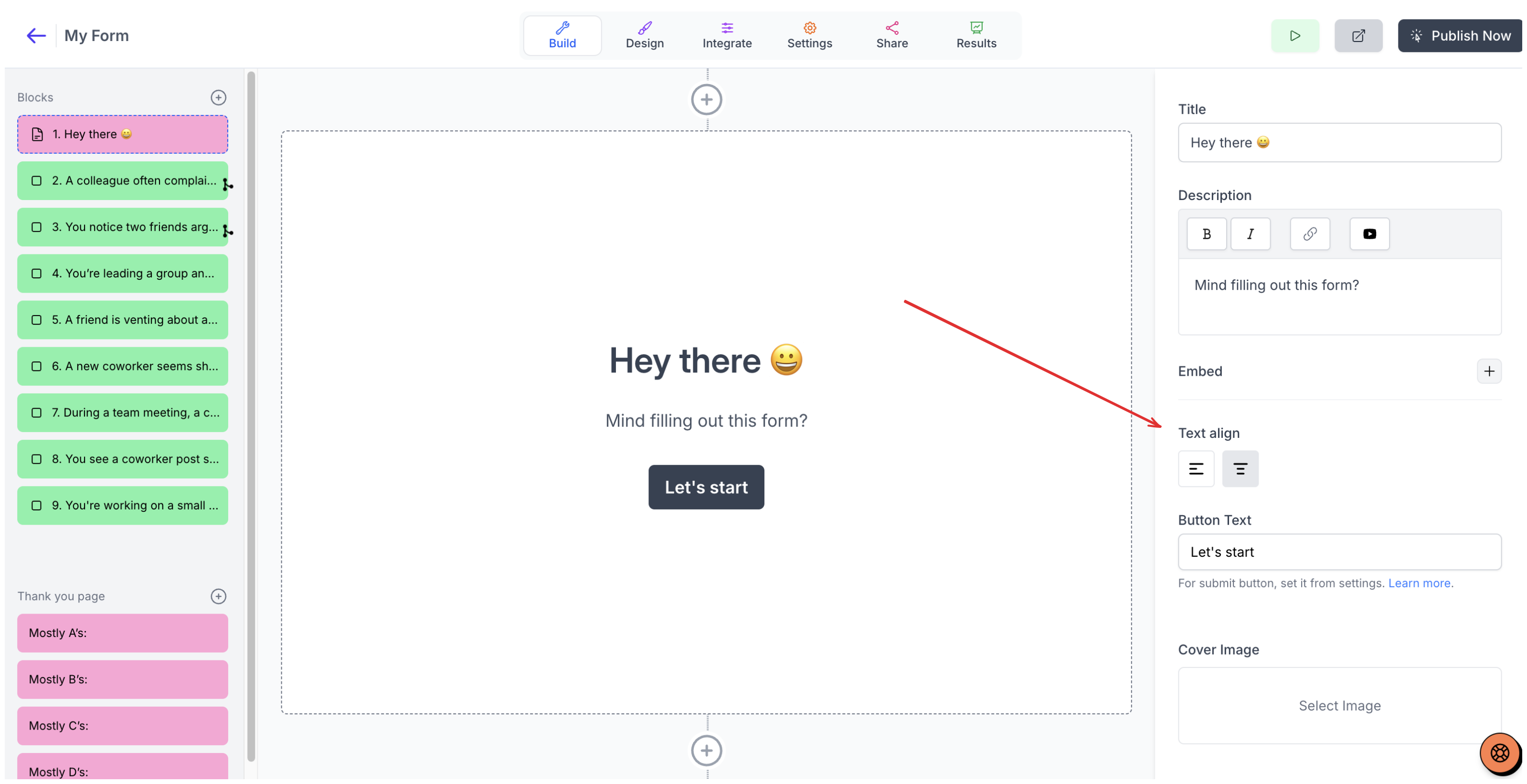
Center align Statement Blocks
Align any other block type except statement block: this setting can be changed from the design tab. Go to the design tab from the top panel, and on the right side, you will see the alignment option.
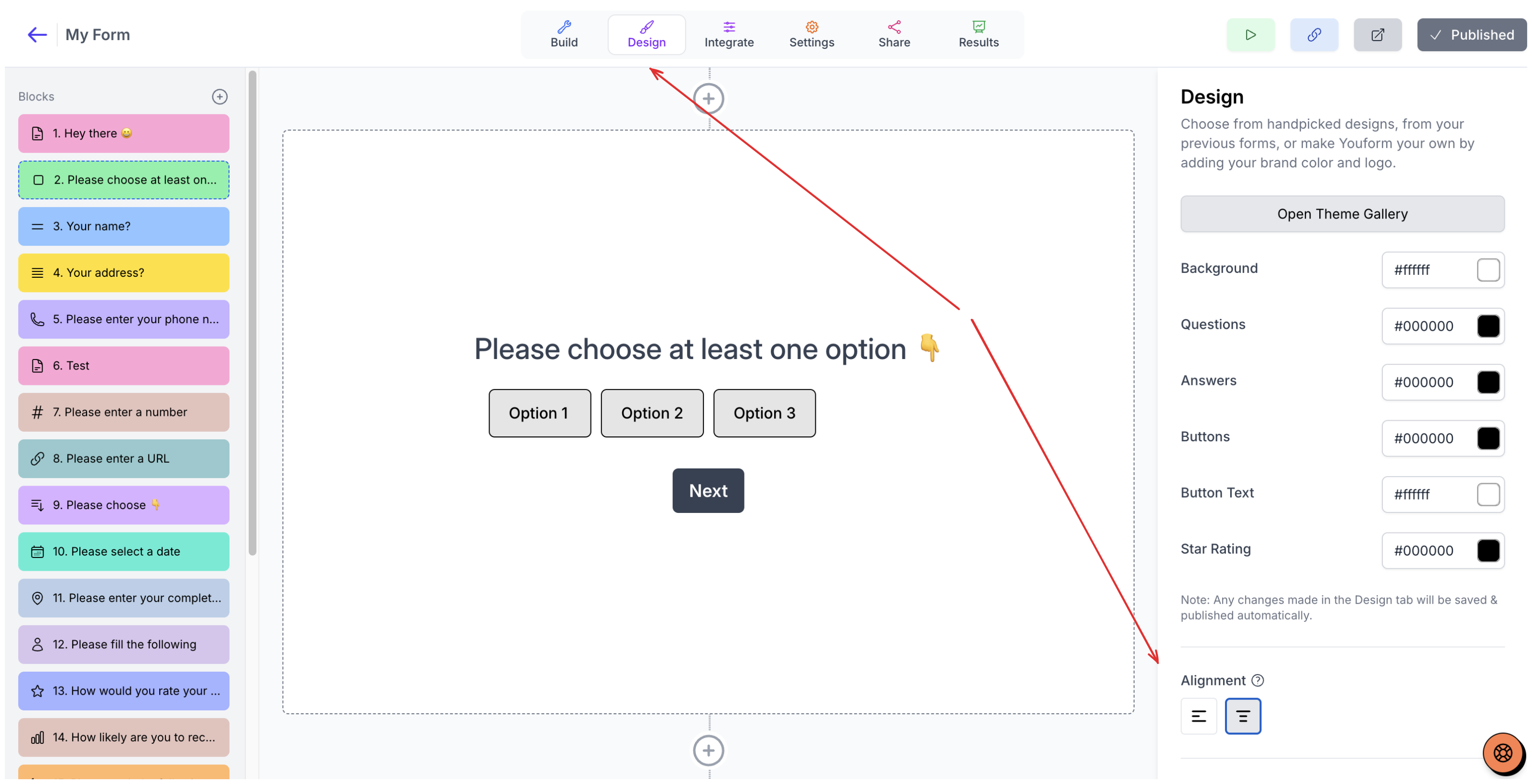
Center align any block types except Statement block
Thank you pages are always center-aligned. For now, you can't make them left-aligned.
Was this helpful?
Was this helpful?