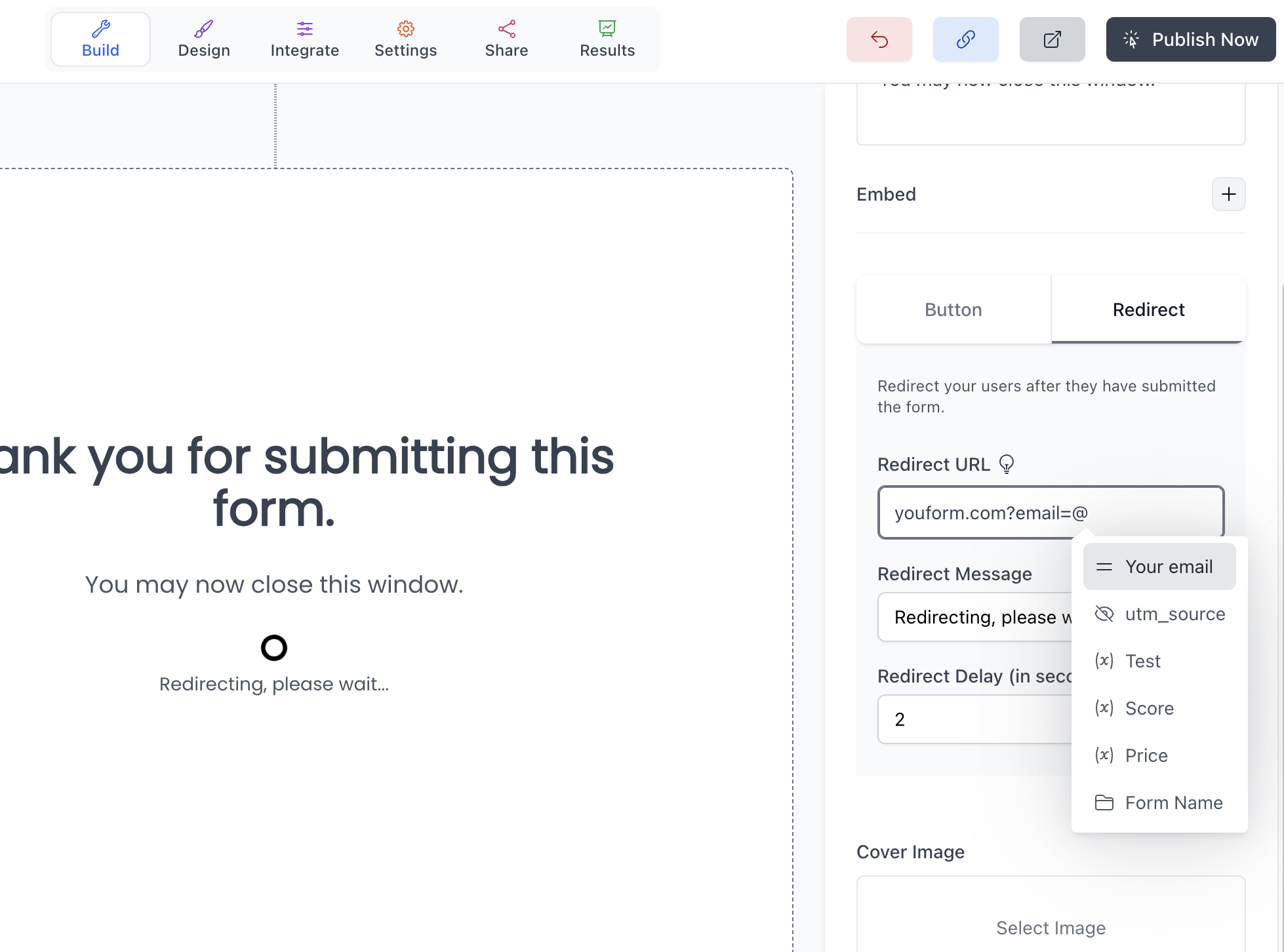
How to customize the "Thank you page"?
Updated 3 months ago
The thank you page is the screen that your users see after they have submitted your form.
In Youform, you can add multiple thank-you pages, even in the free plan.
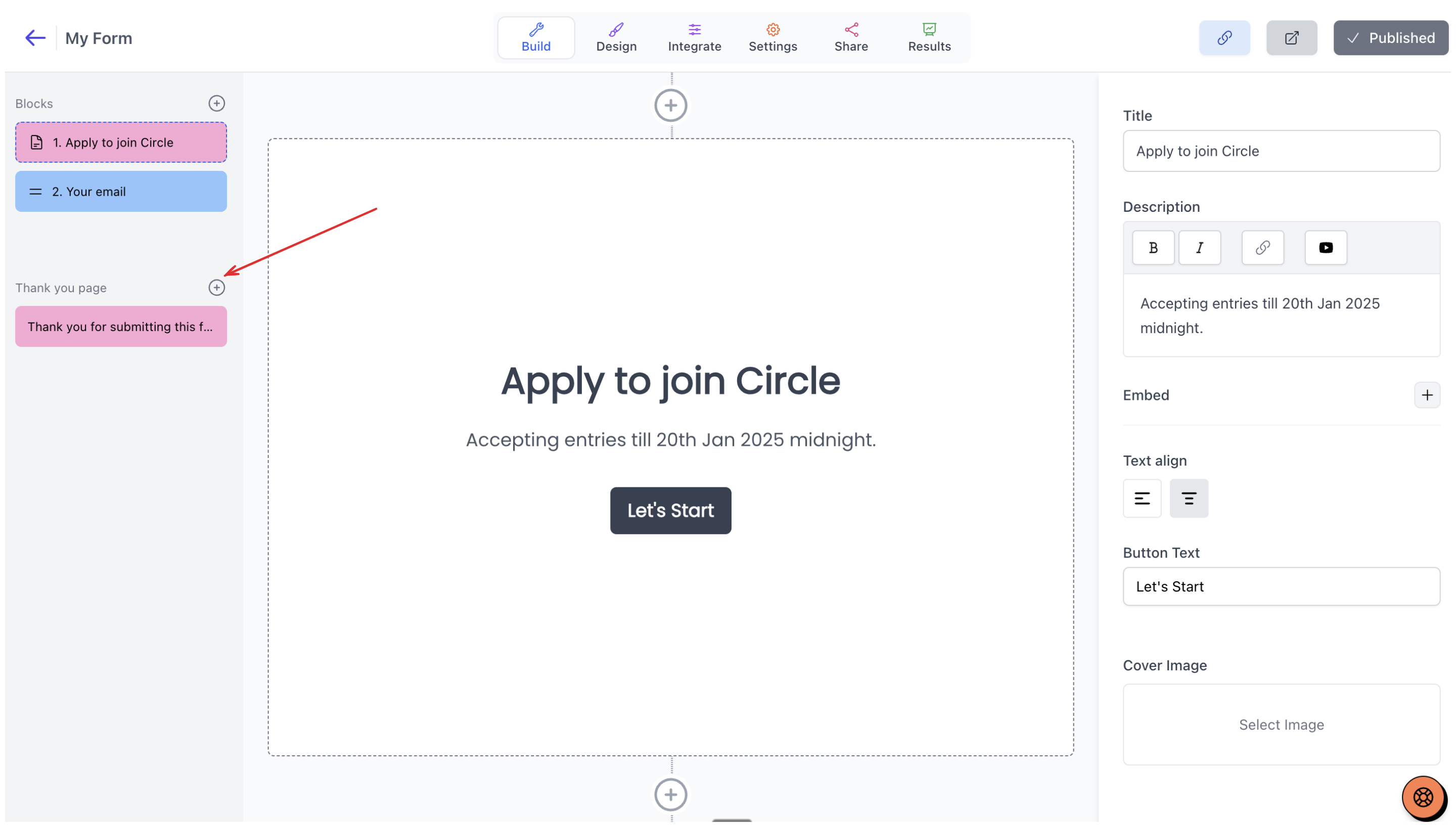
We add a default thank you page when you create a form, but to add another thank you page, you can click on the plus button on the left side beside the thank you page title.
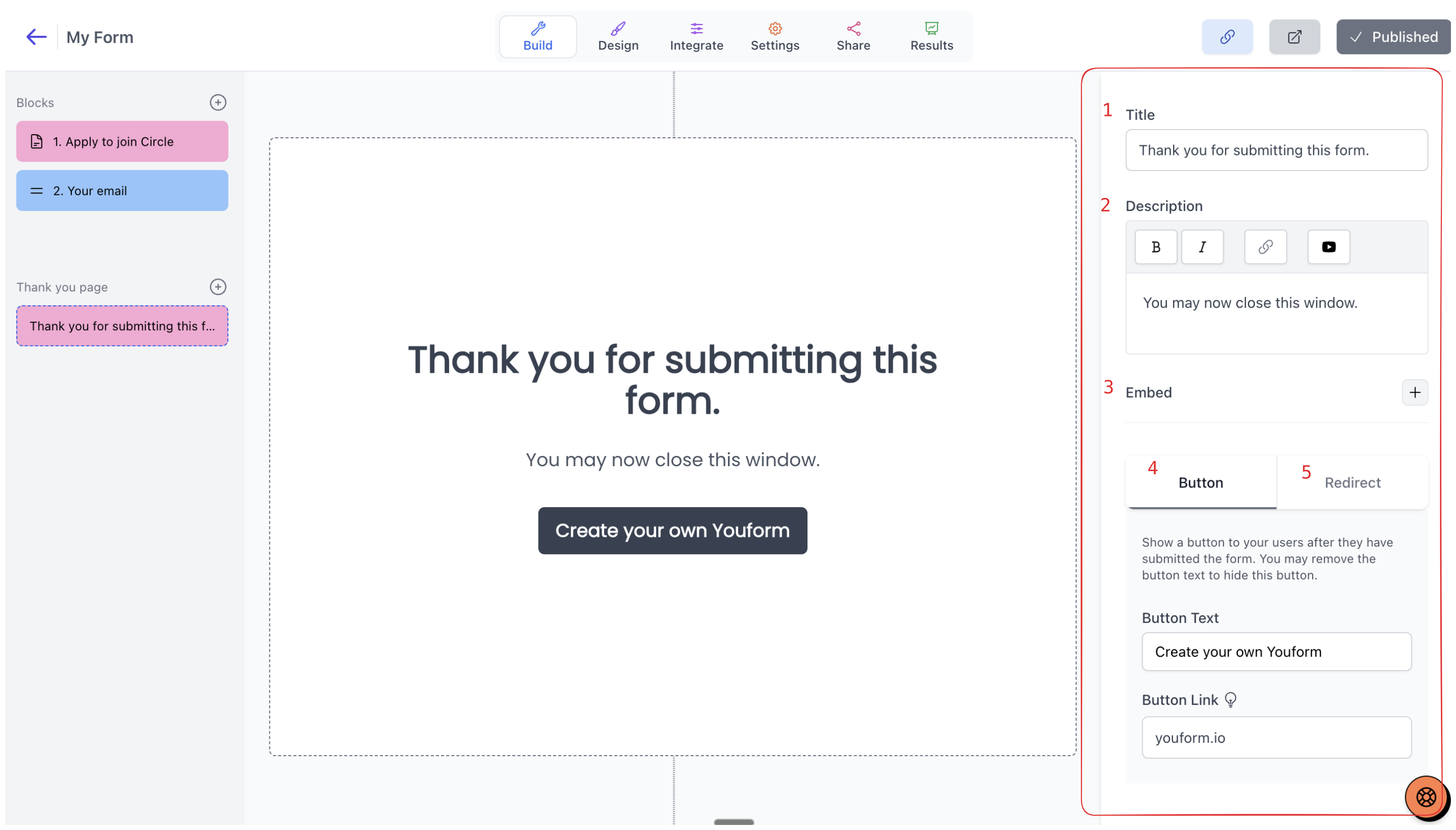
Now to customize a thank you page you can do the following things:
Add a title
Add a description
Add an embed (like Loom or YouTube)
Change CTA (Call-to-action) button text and link
Redirect your users to a different URL.
Out of these, the first three are free. To customize the button or redirect your user, you need to have a Pro account.
In the button link or the redirect URL, you can even mention any of your answers or variables. Just start typing @ and it will suggest. Useful to send some form data as a query parameter in your URLs.