

Download your form as a PDF
Updated 2 months ago
You can download any form as a print-ready PDF — useful for collecting responses on paper at events, clinics, or classrooms, sharing a copy for review, or keeping a record of your questions.
How to download
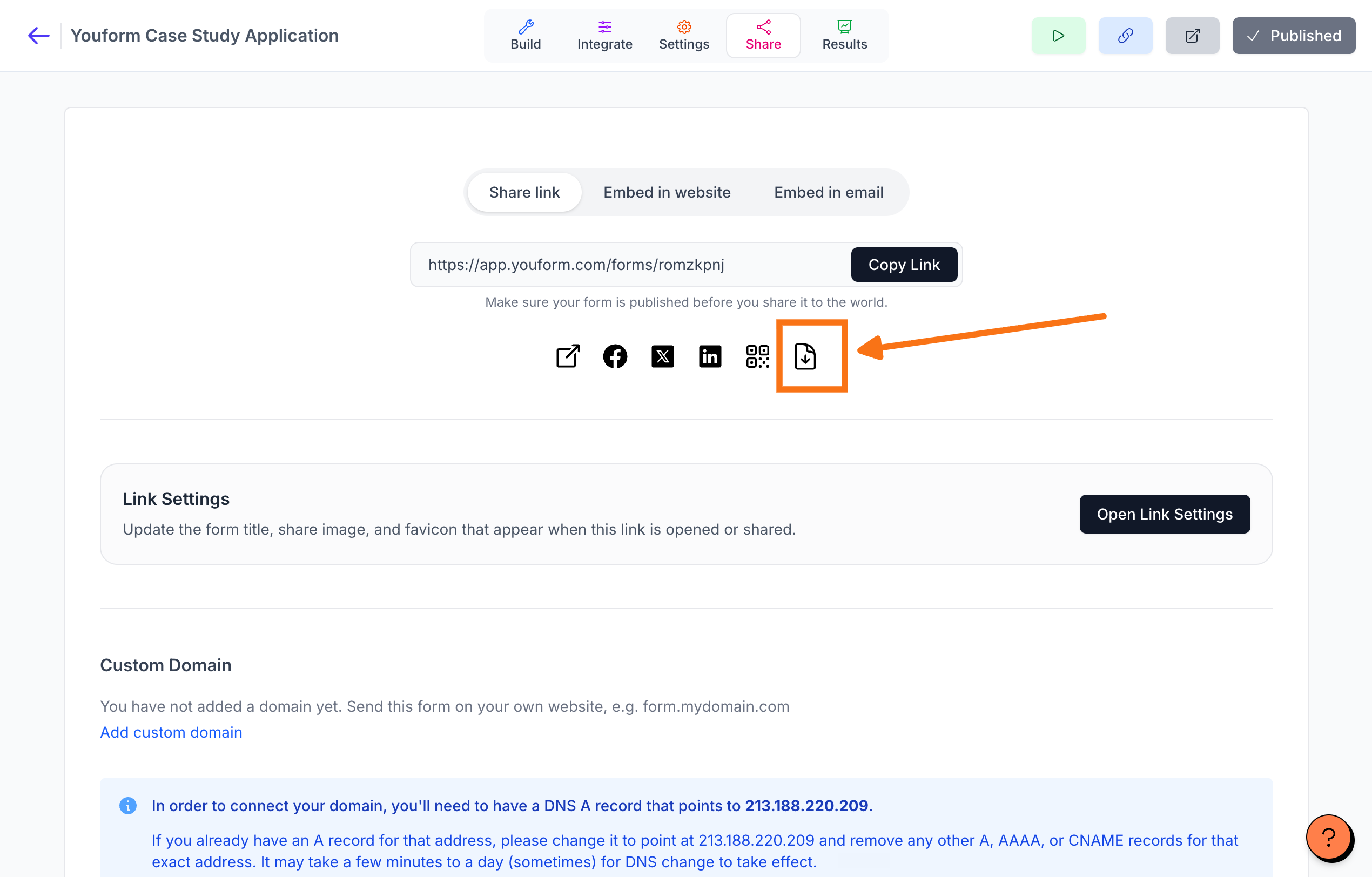
Open your form and go to the Share page
Click the Download as PDF icon, next to the QR code button
The PDF downloads to your computer, ready to print
What the PDF looks like
The PDF is a clean, printable version of your form that can be filled in by hand:
Your form name appears as the title, and questions are numbered in the order respondents see them
Question descriptions appear under each question
Choice questions show tickable boxes, open questions show blank lines to write on, and rating and scale questions show their options
Welcome text and statement blocks are included; the thank-you screen is left out
Good to know
The PDF reflects the published version of your form. If you've made draft changes, publish them first to see them in the PDF.
Responses written on paper aren't in Youform, so they won't appear in your Submissions or analytics — the PDF is for offline use. To download an individual respondent's answers instead, see How can I download a pdf of the form submission.