

How to embed Youform in Squarespace?
Updated 3 months ago
1. Login to your Youform account and select the “Share” option of the form you want to embed.

2. Now copy the embed code.

3. Then go to your Squarespace builder and select the page where you would like to embed Youform and open it in “Edit” mode.
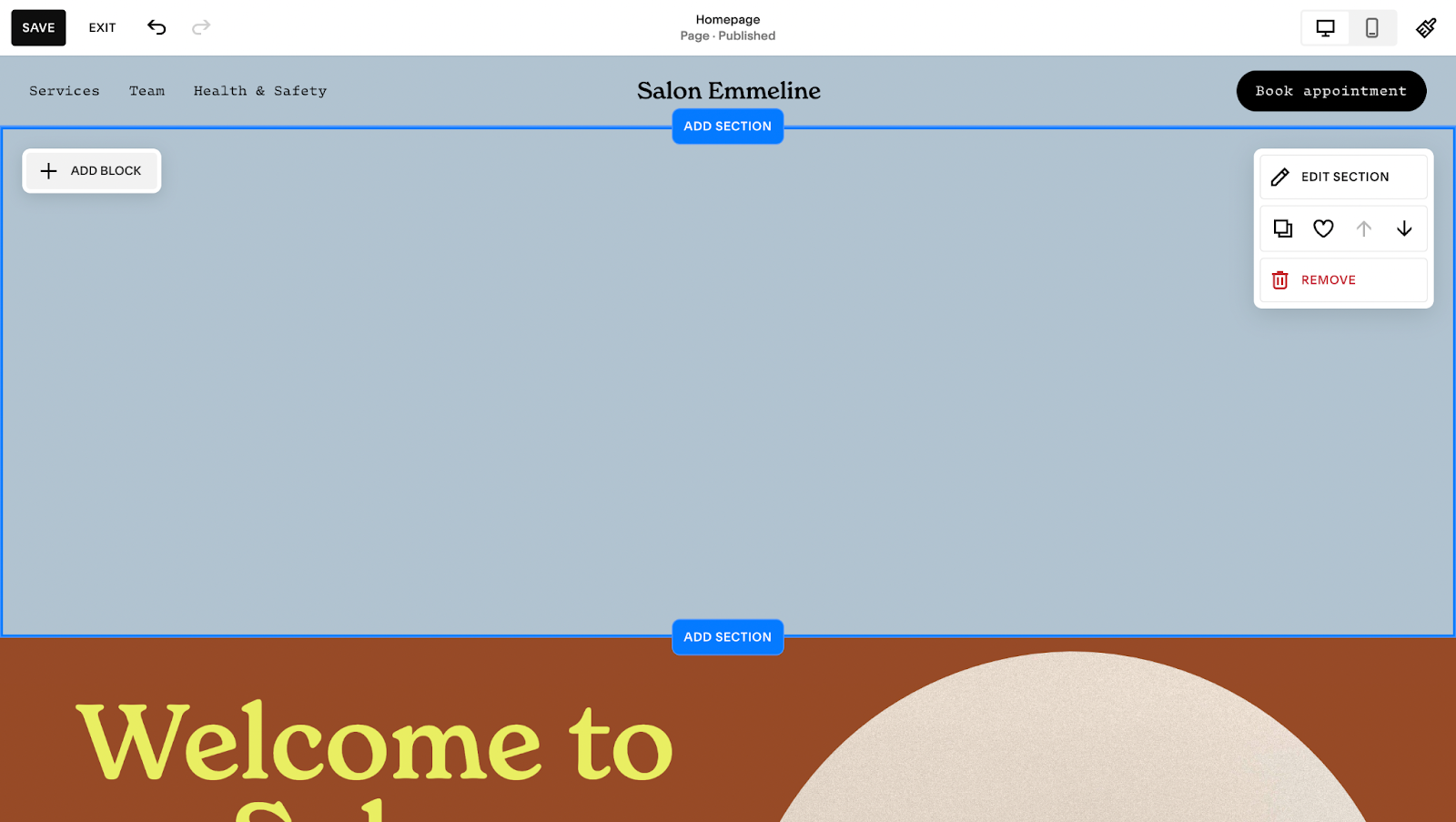
4. Click the “Add section” button to add a new section.

5. Here we will select a blank section for this example:

6. Now click on “Add block” button and search for the “Embed” option

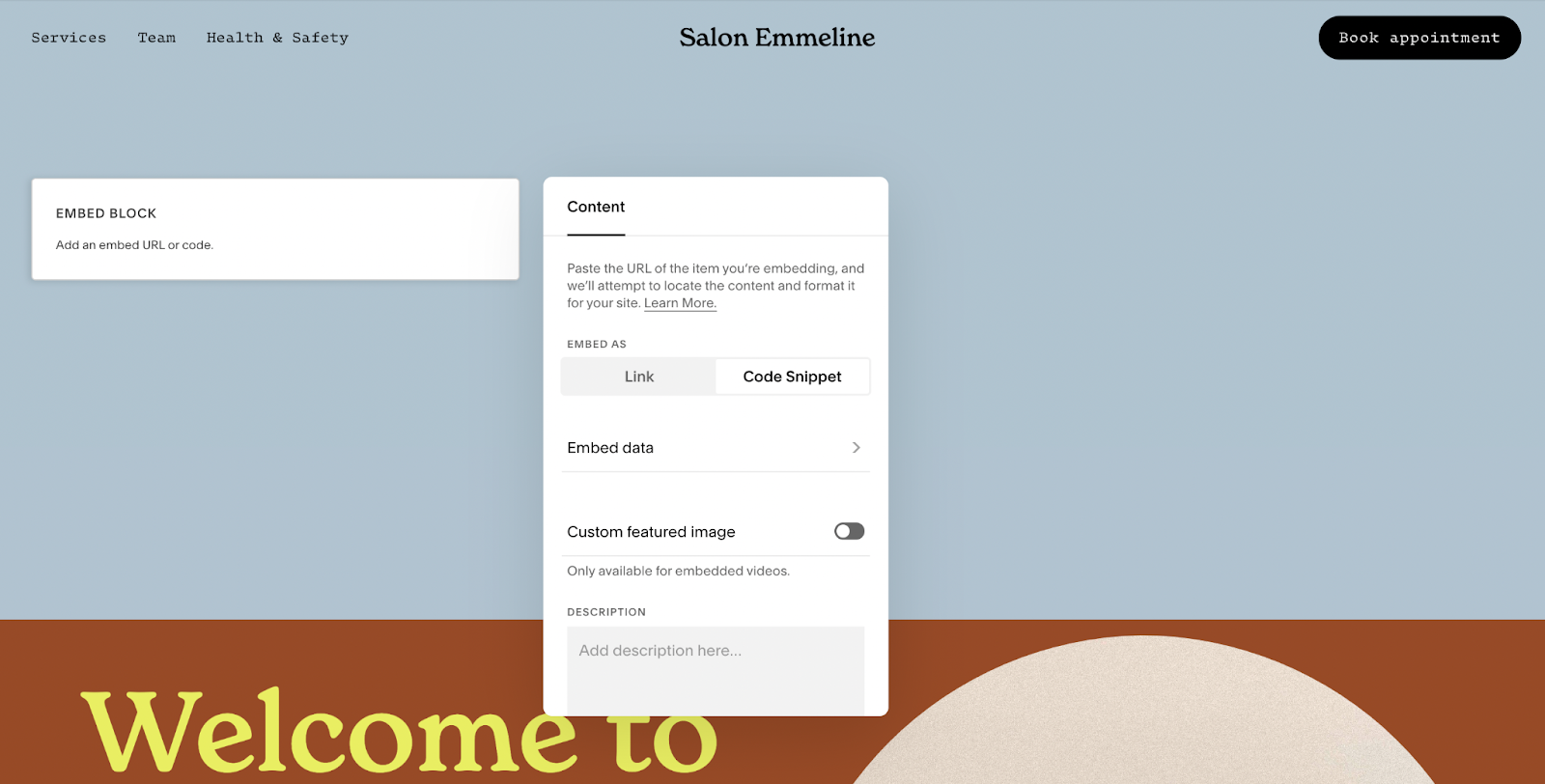
7. Now edit the embed block, select “Code Snippet” and then go to “Embed data”. Here you can paste the code that you copied from Youform.
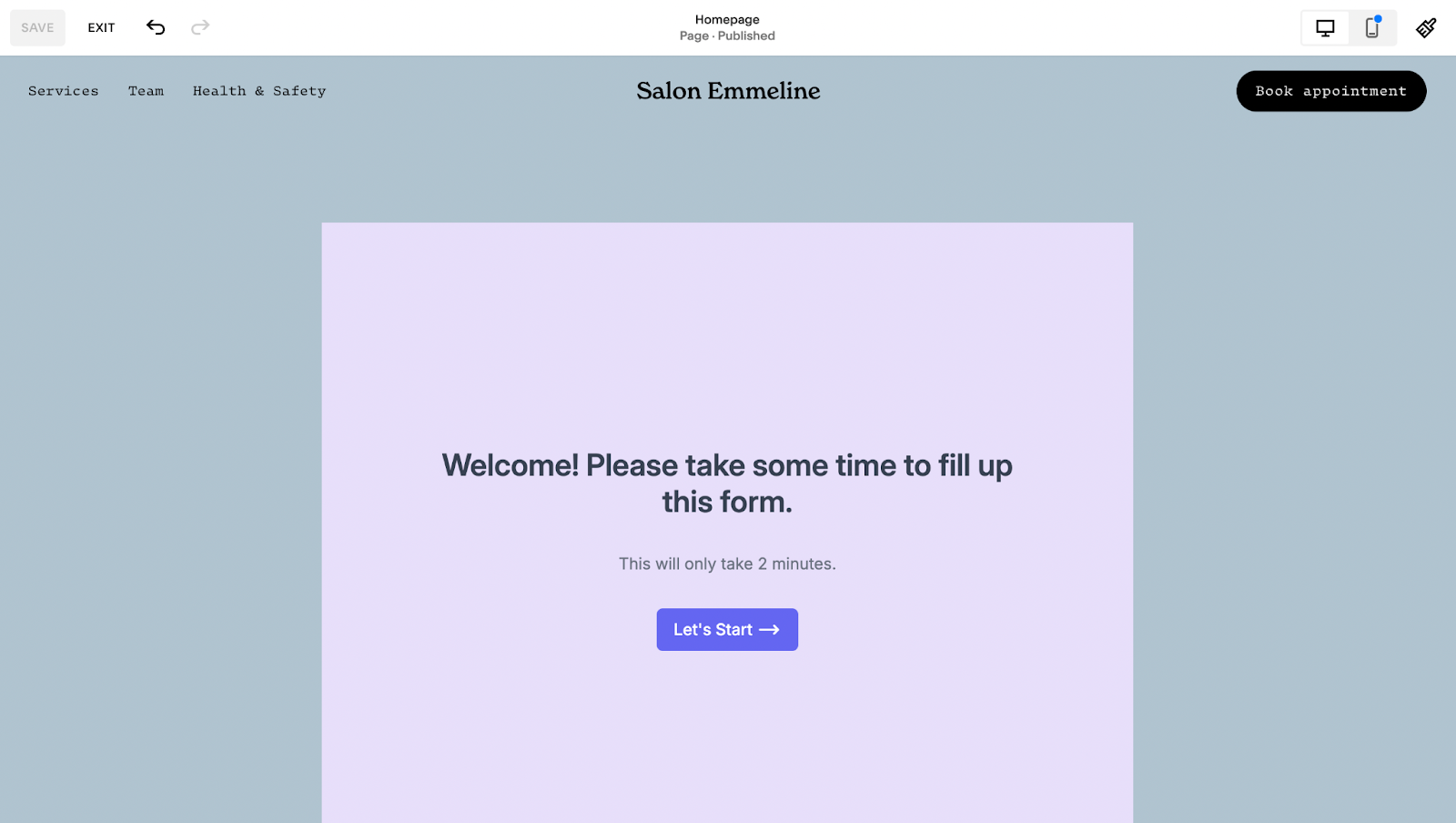
8. Adjust the embed by drag-and-drop option in Squarespace builder and hit “Save”.
Your embed should now work like below:
Was this helpful?
Was this helpful?