

Multiple choice question with "other" options.
Updated 3 months ago
At Youform, we offer multiple choice questions. These come in two types: single select and multi-select. To choose one, open the model selection block and search for either single select or multi-select.
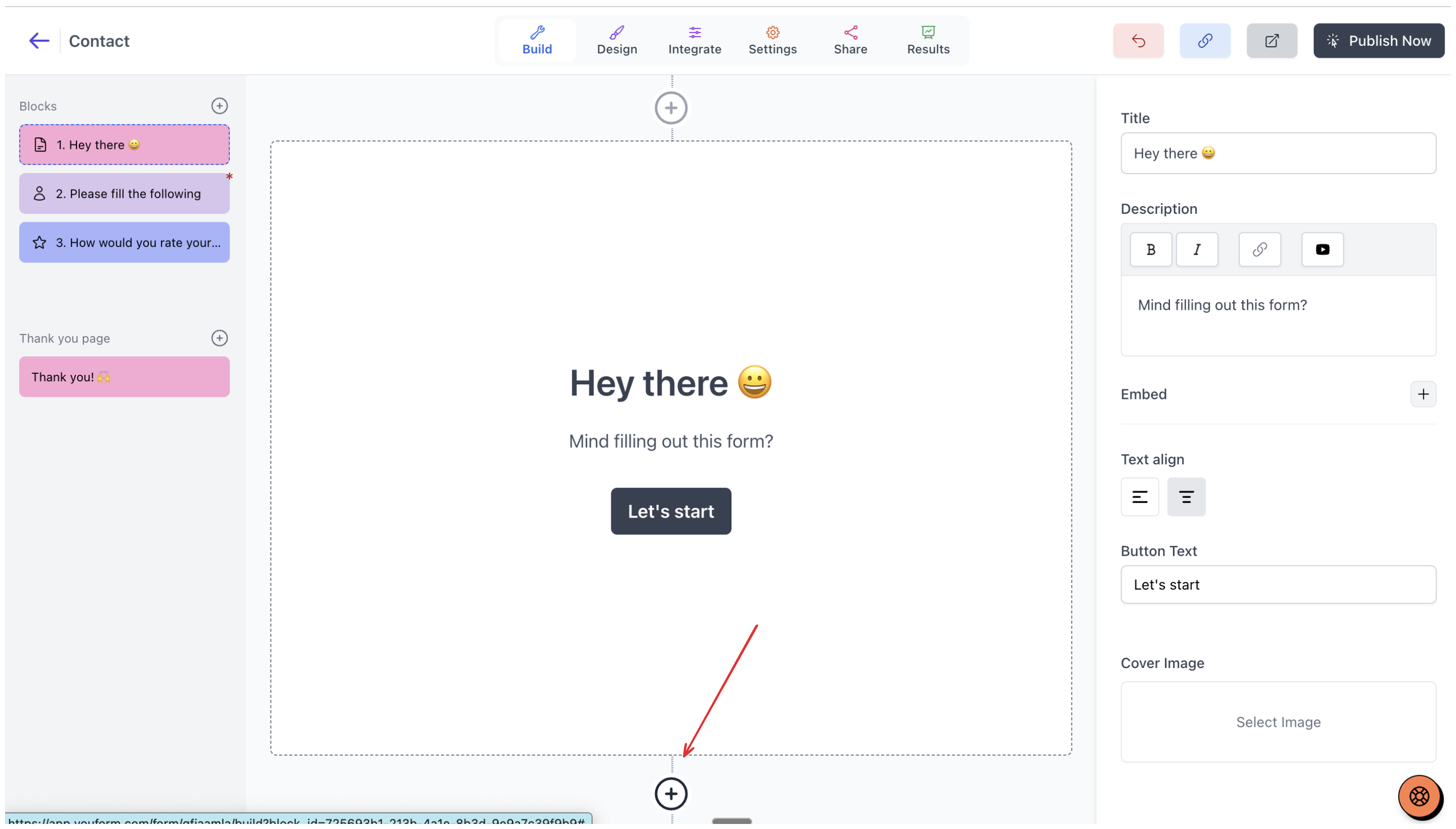
Click add block
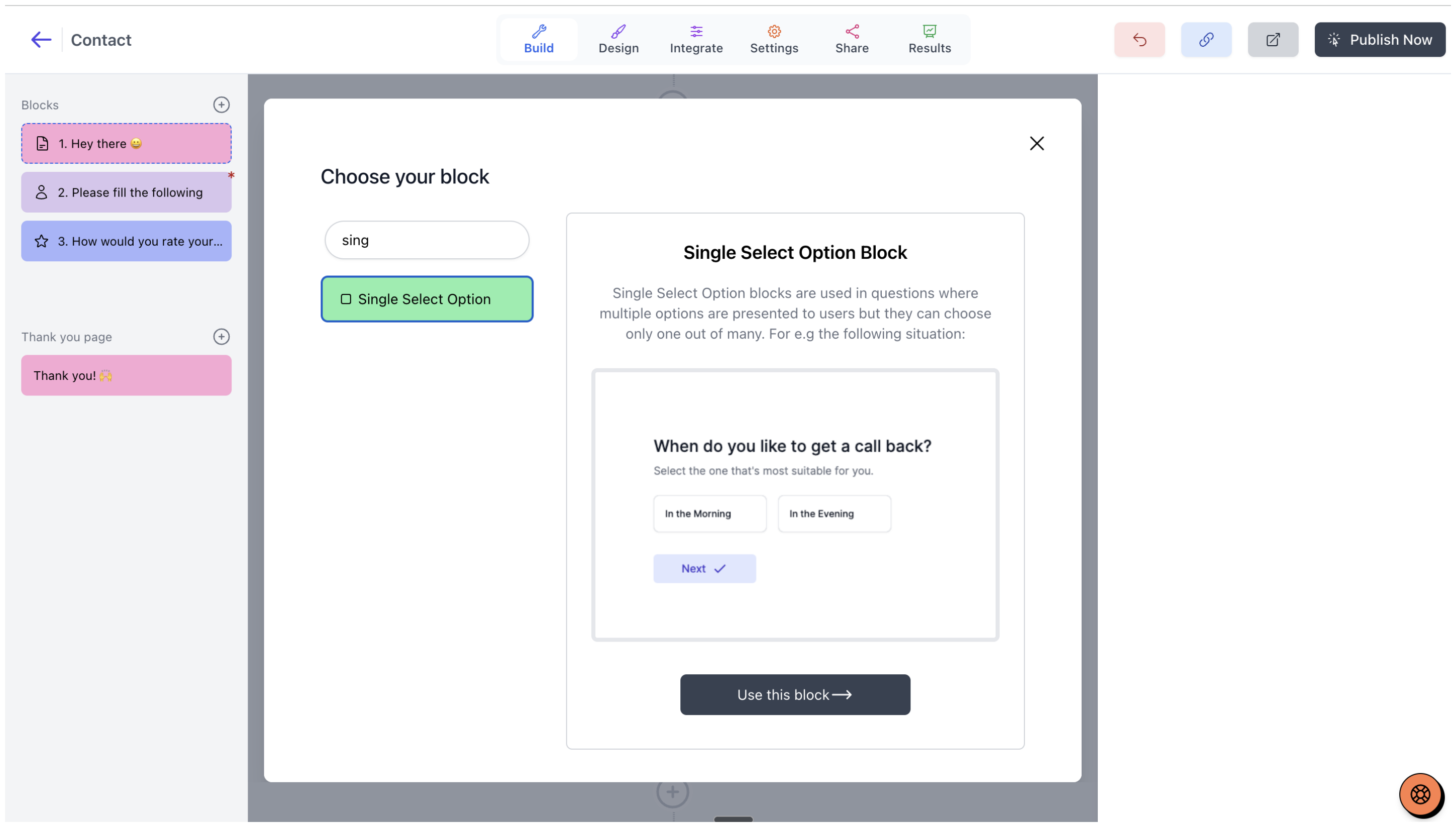
Select your single-select or multi-select block
Then, on the right side, you can add options. Below that, there's an 'other' checkbox. If you check this, 'other' option will be added under your options. Users will be then asked to type their answer if they choose this 'other' option.
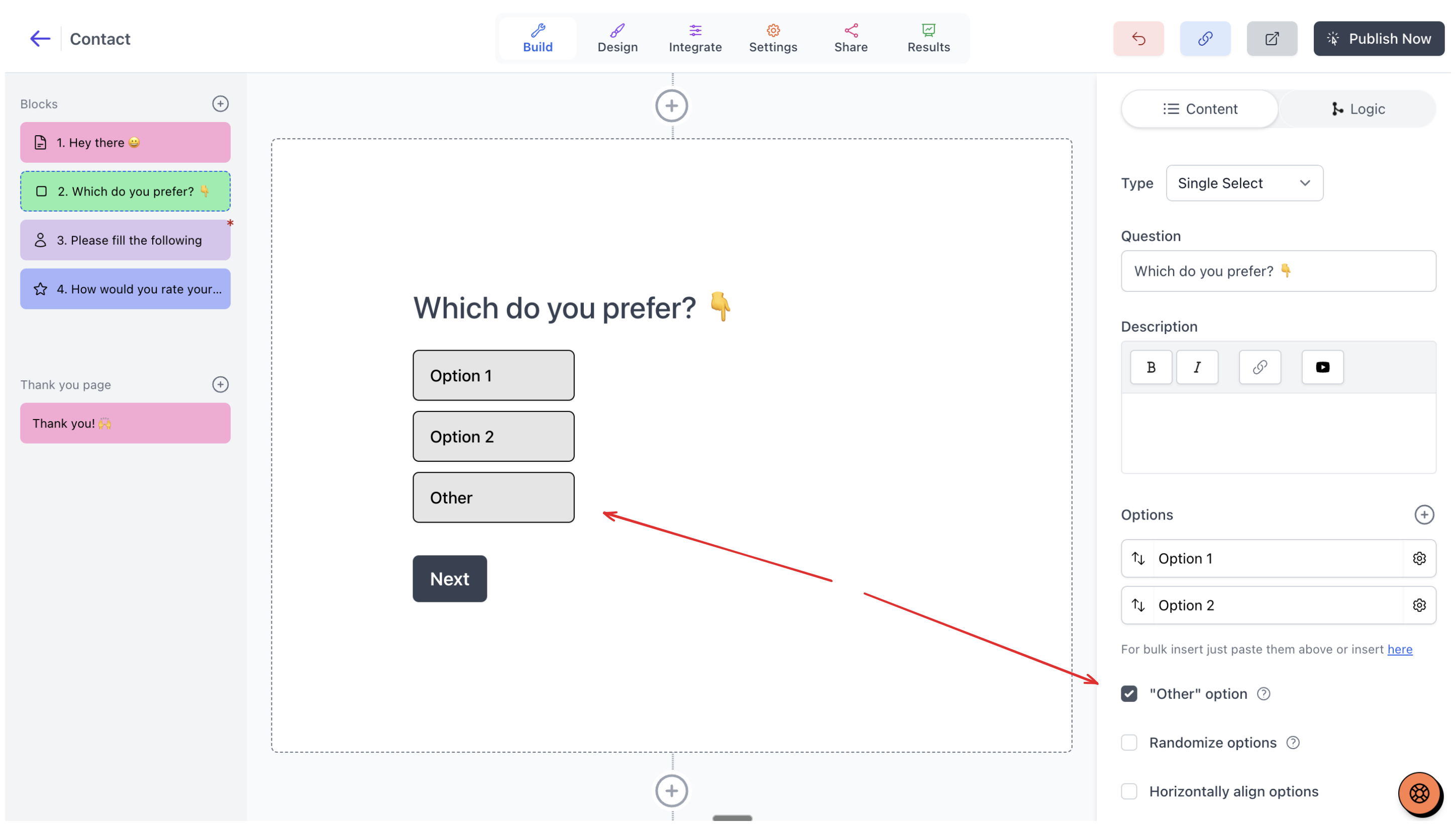
Optionally, you can also check "Randomize options" which will randomize the order of your options to reduce bias but it will still fix the "other" option at the bottom.
Was this helpful?
Was this helpful?