

Calendly integration in Youform
Updated 3 months ago
Youform provides native Calendly integration for meeting and appointment scheduling.
How to setup Calendly in Youform?
1. First go to Youform dashboard and open the form where you want to add Calendly. Obviously you can create a new form as well.
2. Click on the new block button and then select the scheduler block from the block selection modal.
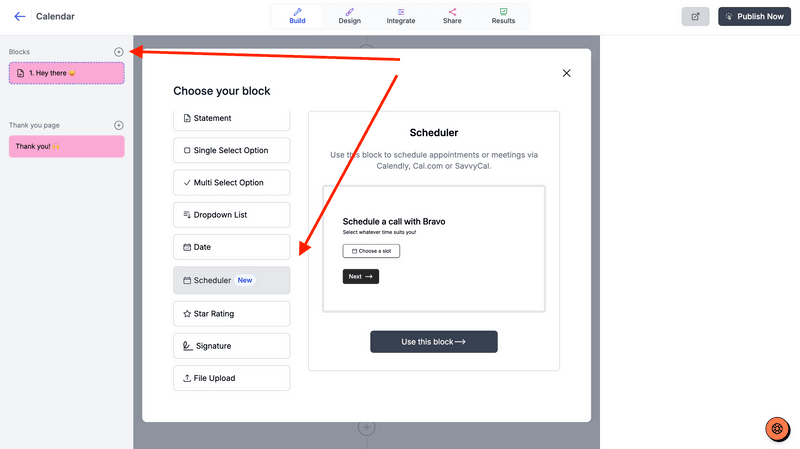
3. Keep the "Schedule with" option as Calendly and fill then Calendly link (next step for how to find it).
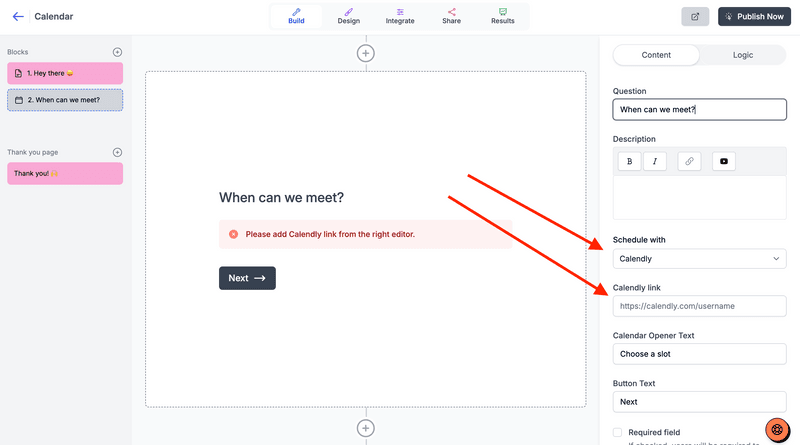
4. Go to your Calendly dashboard and copy the link as shown below. You can copy the "Direct link" or "Event Specific link".
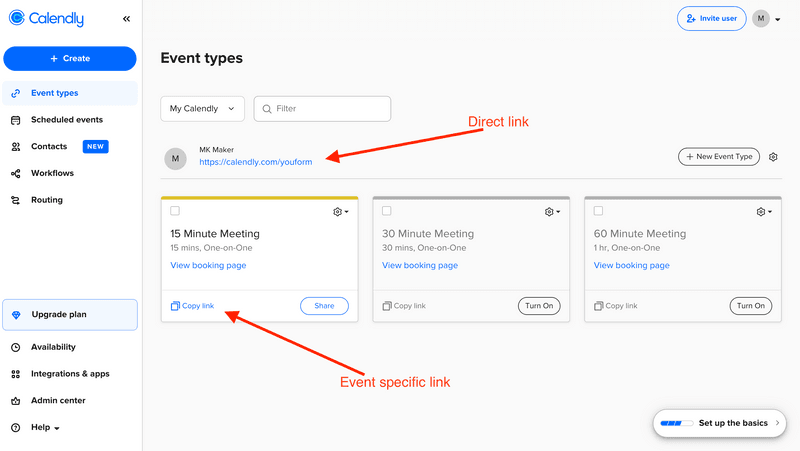
5. Now paste it inside your Youform dashboard.
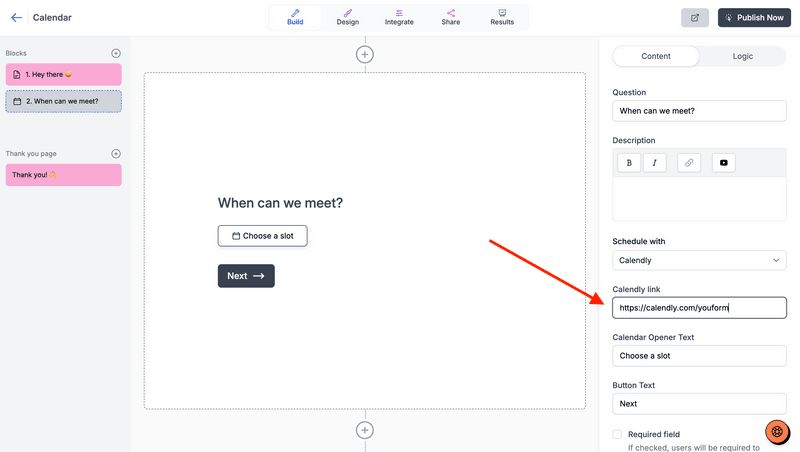
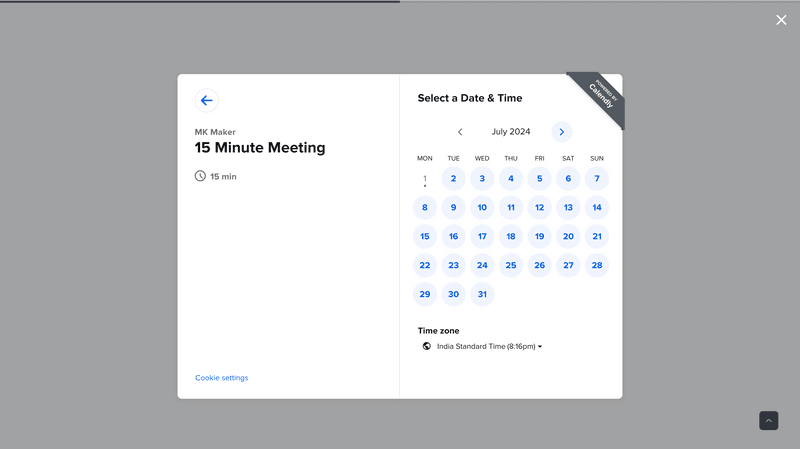
6. Change the calendar opener button text if you want and publish the form. You can only view the calendar working in the published form only.
Prefill fields from the form
You can prefill the form fields by mapping it from the right panel:
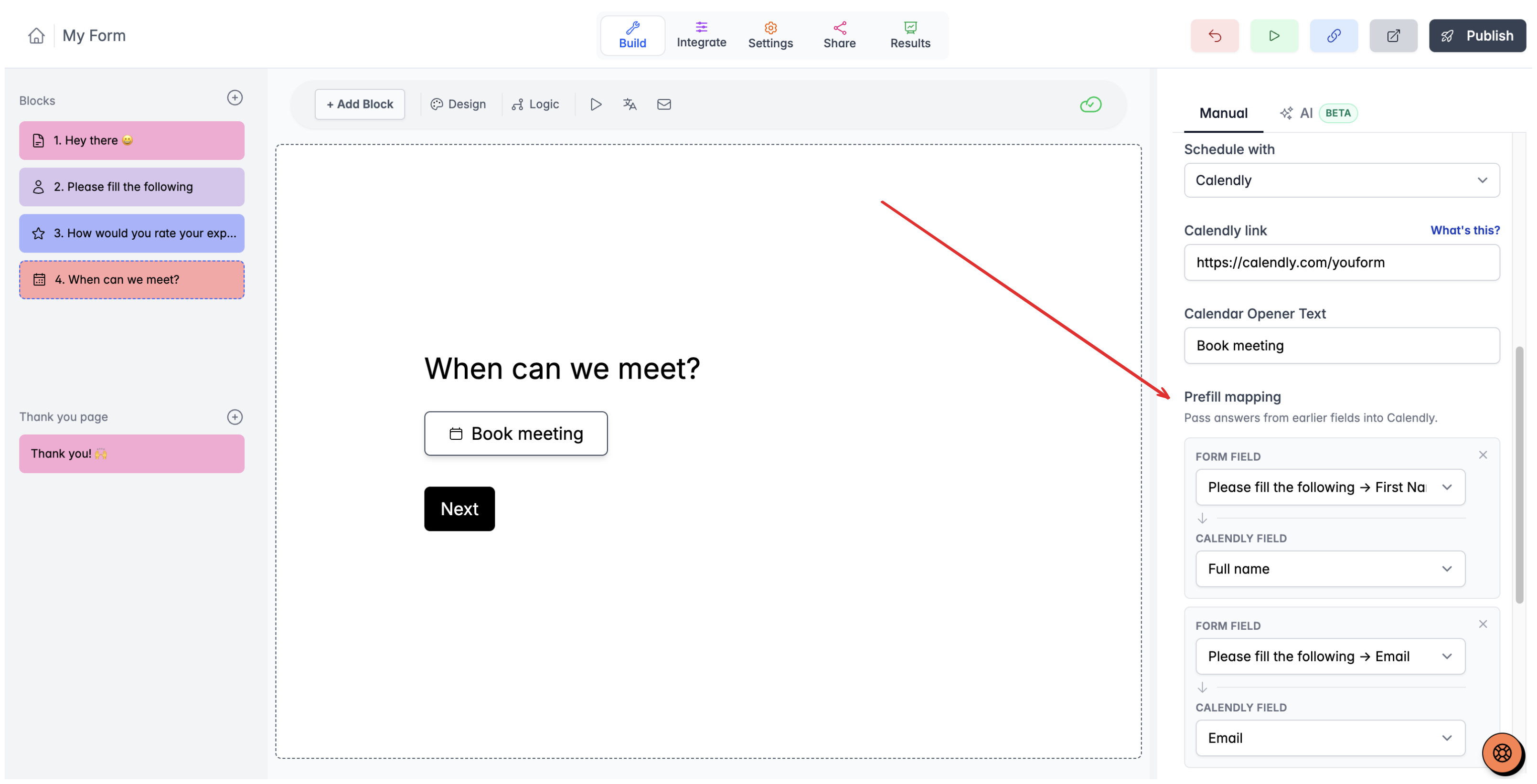
You can do it for general fields in Calendly like: Full name, email etc and also for your custom fields.