

How can I prevent duplicate submissions in my form?
Updated 3 months ago
Preventing Duplicate Submissions
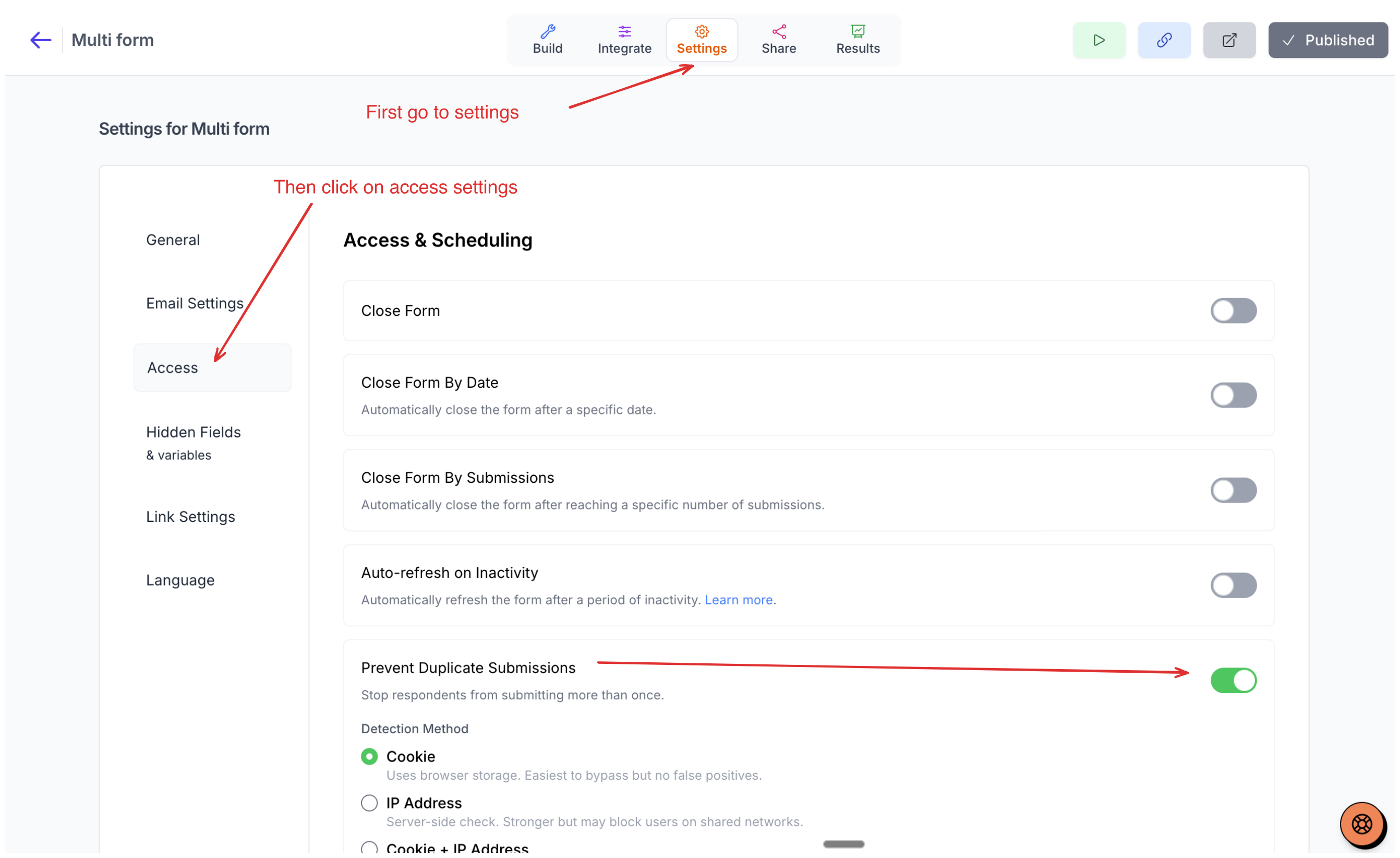
Youform allows you to prevent duplicate submissions in your form. To enable this feature:
Go to your forms from your dashboard
Navigate to Settings
Select Access Settings from the left menu
Enable the Prevent Duplicate Submissions option
Detection Methods
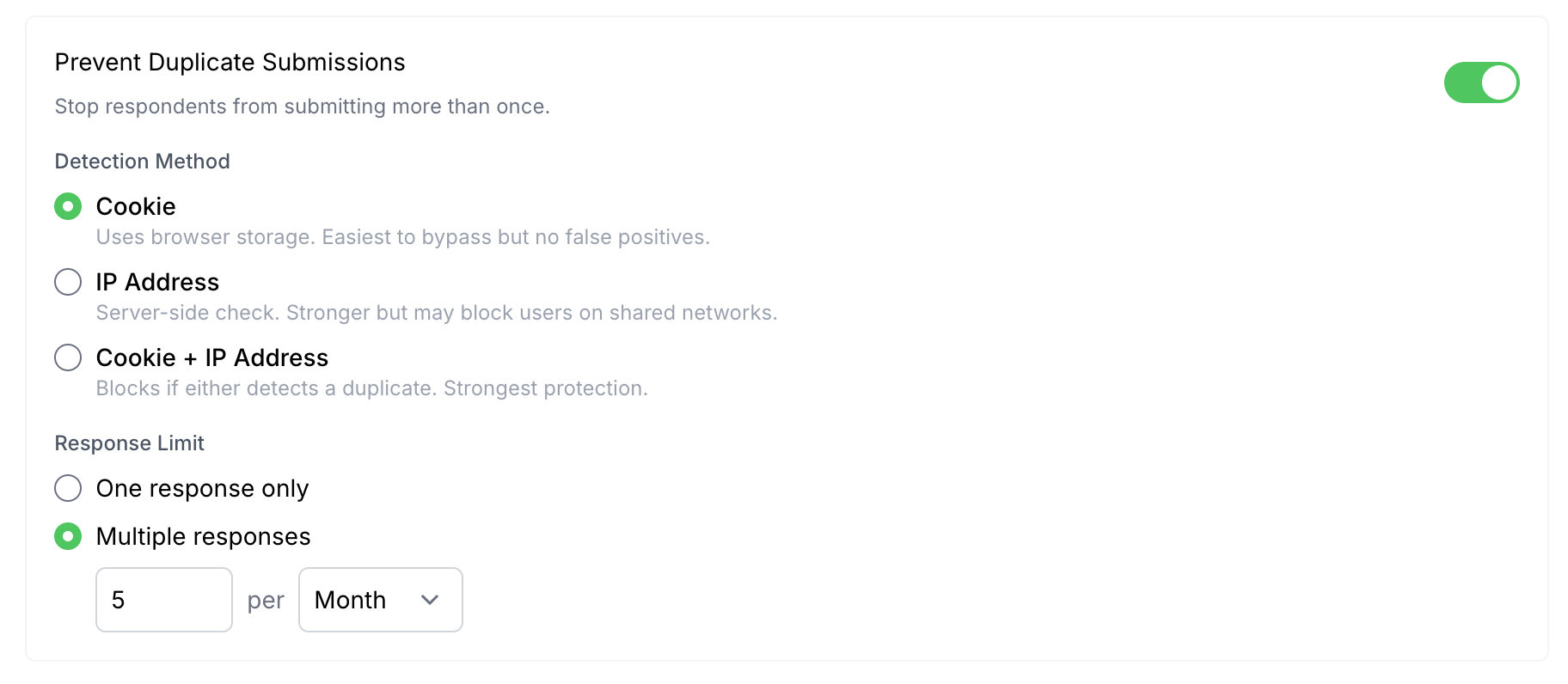
By default, duplicate prevention is identified using browser cookies, but you can change it to IP address or a mix of IP address and cookies. Each method serves a different purpose:
Browser Cookies – The easiest option with very few false positives. However, users can still submit again if they change their browser.
IP Address – More strict. Users are prevented from submitting again based on their IP address.
Cookies + IP Address – The most strict option, combining both methods for enhanced protection.
Important Considerations
None of these methods guarantee complete prevention from duplicate submissions. Users can still bypass them by changing their IP address (switching networks), changing browsers, etc.
In normal cases, this is a good check to add. You can prevent users from submitting multiple times forever, or set a time limit for a specific period: days, weeks, months, or even years.